
Short-Form Video for Churches: No Studio, No Script, No Problem
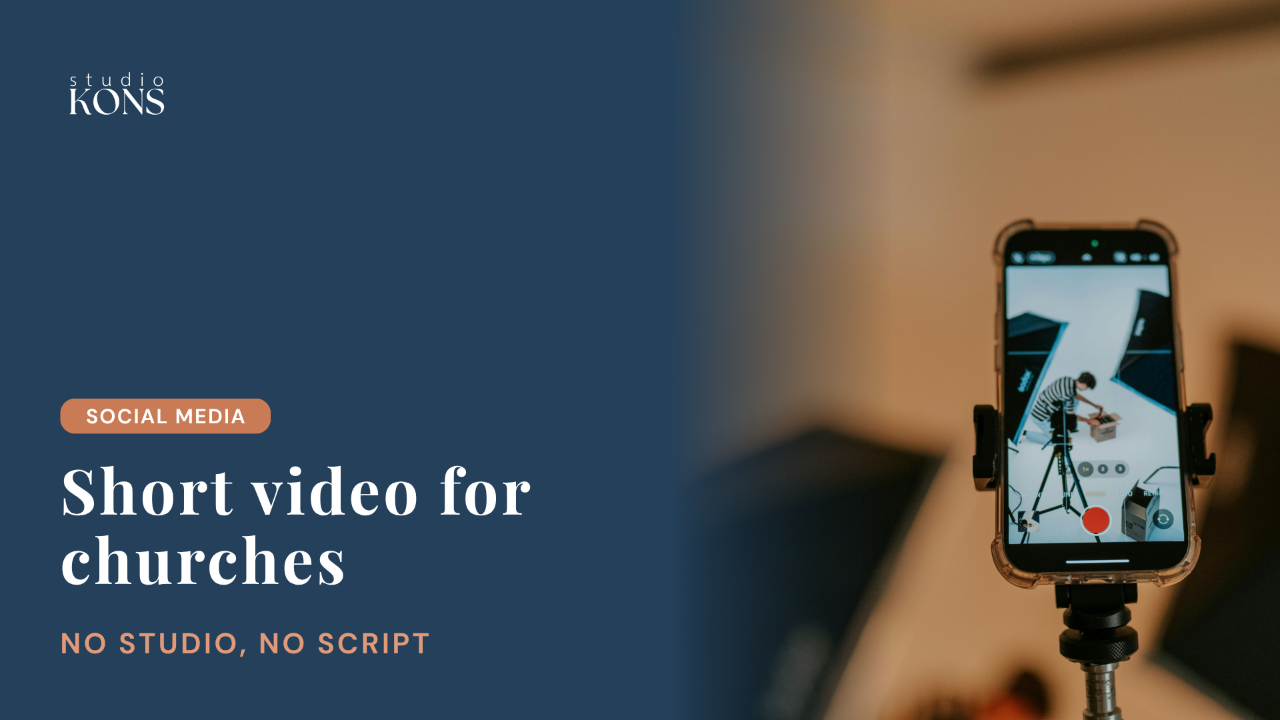
Short-form video works for churches when it's real, focused on one clear idea, and made from what you already have, like Sunday's sermon. A phone, a little sunshine and your own words are enough to start.
Tell me if this sounds familiar: you're scrolling Instagram at 11 p.m., trying to turn your brain off after a long Sunday. You swipe past a meme, a cat video, and then a 30-second video of a pastor running down a sidewalk, talking about grace and grit and how faith keeps him putting one foot in front of the other.
You stop. You smile. You might even hit replay.
For so many church communicators and pastors I work with, short-form video (Reels, Shorts, TikToks, the bite-sized stuff) feels like the Wild West. What do we even film? Do we need fancy equipment? How do we fit a sermon into 30 seconds? And how do we not look ridiculous? I get it. Let's unpack all of it.
In this post
Why short-form video matters for churches
Five things that make a church video work
Turn sermons into clips with Opus Clip and Descript
Five short video ideas for any church
Start messy (camera-shy is fine)
Listen to the episode
Why Short-Form Video Matters for Churches
That running pastor is how I first came across @RevJimRuns on Instagram: Jim Keat, a minister at Riverside Church in New York City, who records short reflections while he runs. It's just him, mid-run, talking about real faith while doing something he loves, and it's honestly the perfect example of what short-form video can do when it's made with heart.
The short answer to why it matters: that's where people are. Pew Research Center found that 84% of US adults use YouTube, half use Instagram, and 37% use TikTok. And a federal court in the antitrust case against Meta found that most of the time people spend on Facebook and Instagram now goes to short videos recommended by the apps.
Thankfully, it's not all dancing and lip-syncing. When I scroll, I see therapists sharing 30-second grounding exercises, teachers explaining concepts with sticky notes, rabbis breaking down Hebrew phrases, and yes, pastors dropping theology between breaths.
Short-form video is human-sized. It meets people where their attention already is, which means right-sizing the message for the space it lives in. Think of it this way: your sermon is the feast, and a short video is the appetizer that makes people want to sit down for the whole meal. An amuse-bouche, if you will.
Five Things That Make a Church Video Work
I've watched a lot of church video, some amazing and some less amazing. Here's what separates the ones people watch from the ones they scroll right past.
1. Relatable and real. You don't need studio lighting or a full media team. People connect with people more than productions.
2. One clear idea. You can't teach your whole sermon in 30 seconds, and that's okay. Pick one idea, story or quote that stands on its own.
3. A strong start. You only have a moment to catch someone, so open with something that makes them curious: a question, a face, a bit of movement. What if God's grace feels more like a messy run than a finish-line photo? Boom, I'm listening.
4. Visual movement. Even something subtle, like a walk, a pan, or your hands moving as you talk, keeps energy in the frame.
5. An invitation to reflect. End with something like What's keeping you moving this week? or Where have you felt peace lately? You're sparking conversation.
And add captions. Plenty of people watch with the sound off, and captions are an accessibility basic.
If you're a church communicator or pastor, this is your permission slip: you can repackage the message you already have. Maybe it's you setting up communion and talking about why the bread matters. Maybe it's a choir member sharing why they love to sing. Maybe it's the youth group sharing one word that describes their week.
A short video just has to be true. Clever is optional.
How to Turn Sermons Into Short Clips With Opus Clip and Descript
If you're already doing Sunday worship, posting announcements and managing a newsletter, the last thing you need is one more content channel. So here's the mindset shift: repurpose what you already have. This is where our friendly neighborhood tech tools come in.
Opus Clip takes a long video, like your full sermon or a recorded Bible study, and uses AI to find the best short moments. It reframes them to vertical, adds animated captions, and gives each clip a score for how likely it is to do well. It's like having a digital intern who's obsessed with finding your pastor's mic-drop moments. You upload your video (or, on paid plans, connect a verified YouTube account), and it does the rest.
Descript lets you edit video like a document. Drop in your sermon recording, it transcribes it automatically, and you delete text to delete those parts of the video. So if your pastor says "uh" 17 times (it happens!), its filler-word tool can cut them in seconds. You can add captions, resize for social media, and export vertical clips.
Here's the workflow I use myself: I upload Sunday's sermon to Opus Clip (I upload the 4K file because it looks nicer, though you don't have to), pick my favorite three to five clips, and schedule them. I've also set up Opus Clip so the captions it writes sound like us, and that has been such a game changer. Doing it all at once like that is called batching, and it keeps digital ministry from feeling like a hamster wheel.
What they cost, as of September 2026: Opus Clip has a free plan with 60 minutes of video a month (watermarked, and clips can only be exported for three days). Starter is $15 a month, and Pro, which includes the full social scheduler, is about $14.50 a month billed annually ($29 monthly). Downloading clips in 4K is listed on its Business plan. Descript has a free plan, and Hobbyist is about $16 a month billed annually ($24 monthly).
For more on getting a full week of content from one sermon, see How to Repurpose a Sermon Into a Full Week of Church Content.
Five Short Video Ideas for Any Church
Besides sermon clips, here are five ideas that work for almost any church of any size. Rapid fire!
1. Question of the week. Pick one question tied to your sermon theme or community life, like What's one word you'd use to describe hope? or Where have you seen kindness this week? Film it as a selfie video, or have a few congregants answer on camera.
2. Sneak peek. Setup, music rehearsal, kids prepping for a pageant, whatever's happening in real life. People love seeing the heartbeat behind the scenes.
3. Scripture in motion. Take a verse from your sermon, go for a walk, and record yourself reading it with a one-line reflection. (Once you start noticing how often people walk in short videos, you'll see it everywhere. They're doing it for a reason.)
4. Congregant spotlight. Ask a volunteer, musician or longtime member one small question: What's your favorite hymn? or Why do you love serving here? That's connection content. (Always get permission first, especially for kids.)
5. Micro sermon. A thought in 60 seconds: the golden moment from your sermon, or a follow-up thought you had afterward.
Start Messy (and Camera-Shy Is Fine)
Let's talk about the elephant in the sanctuary: perfectionism.
If you've been waiting to post video until the lighting's right, the sanctuary's spotless, or your voice doesn't sound weird on camera, this is your sign to start messy. People want familiar. Your community already knows your quirks and loves you for them, and they'll love you even more for showing up online as your full, imperfect self.
Short video is about presence. It's saying, hey, we're here, we're human, and we believe something good is worth sharing.
Here's a tip I love sharing with church teams: if you're feeling camera shy (I often am myself), start by filming your space instead of yourself. Record a 15-second clip of your worship team rehearsing, candles being lit, or coffee hour setup, then add a line of text or a voiceover like A moment of quiet before worship begins. That's it! You can do it right in Instagram, or in Meta's free Edits app.
Build a Sustainable Church Video Rhythm
This is your loving reminder that you do not have to post every day. Once or twice a week is great, because people come to expect that rhythm. And if you miss a week, it's fine. Seriously. Ministry is full of enough guilt trips already.
One of my favorite things about short video is how it opens space for collaboration. You don't have to be the only person creating. Ask your youth group to make one Reel a month. Let your music director post a behind-the-scenes clip from rehearsal. Create a shared Google Drive or Dropbox folder called Clips for Social, let people drop videos in, and post what fits. Your community is full of storytellers who might just need an invitation.
Just like the church once learned to print bulletins and build websites, learning to communicate in short video is another step in how we tell old, beautiful stories in a new rhythm, reminding people of hope, belonging and beauty, one tiny video at a time.
Try this: this week's short video challenge
Pick one idea from this post: a 30-second reflection, a clip from Sunday's sermon, or a 15-second video of your space.
Film it on your phone. Don't overthink it.
Add captions and post it.
Keep it simple. Share one place you've seen God show up this week.
Frequently Asked Questions About Short-Form Video for Churches
Why should churches use short-form video?
Short-form video is where a lot of people's attention already is on Instagram, YouTube and TikTok. Short, real clips from sermons, rehearsals and church life work like an appetizer that invites people into the fuller life of the church.
What should a church post on Instagram Reels?
Try sermon clips, a question of the week, behind-the-scenes sneak peeks, scripture read on a walk with a one-line reflection, congregant spotlights, and 60-second micro sermons. Get permission before featuring people, especially children.
How long should church Reels be?
Keep most church videos short, often under a minute, with one clear idea. As of September 2026, Instagram allows Reels up to 20 minutes, but Reels over 3 minutes aren't recommended to new audiences, and YouTube Shorts can be up to 3 minutes.
What tools can turn a sermon into short video clips?
Opus Clip uses AI to find short moments in a long sermon video, reframes them to vertical and adds captions. Descript lets you edit video by editing its transcript and remove filler words. Both have free plans to try.
Does a church need special equipment for short-form video?
No. A smartphone, natural light and your own words are enough to start. Real, relatable videos often connect better than polished productions.
How often should a church post short videos?
Once or twice a week is a sustainable rhythm for most churches. Batching clips from Sunday's sermon and inviting volunteers to share videos can help you keep it up.
My question for you: what's one moment from your church's week that would make a 15-second video?
Try short video with a community cheering you on.
The Commons is my membership community for church communicators and clergy at traditional and mainline churches, where we share what's working and try new things together.